The Artful Science of Color Hierarchy: Designing Visual Impact Through Strategic Palette Choices
In the ever-evolving landscape of digital design, understanding how colors interact is not merely an aesthetic choice—it’s a strategic necessity. As designers, developers, and creators within the PaletteUI community know well, color hierarchy determines how users perceive information, navigate interfaces, and form emotional connections with visual content.
This guide delves into the nuanced world of color hierarchy, revealing how deliberate choices in hue, saturation, contrast, and temperature can transform flat designs into compelling narratives that captivate audiences across platforms.
Fundamentals of Color Perception
Human vision processes color through three primary mechanisms: cones in the retina detect light wavelengths, neural pathways interpret these signals, and cognitive frameworks assign meaning based on context. This biological foundation explains why certain hues dominate attention while others recede into background textures.
Color theory principles from Johannes Itten’s foundational work remain relevant today. His seven-color wheel model demonstrates how complementary pairs create vibrational tension, analogous groupings foster harmony, and triadic combinations balance energy without overwhelming viewers.
Modern neuroscience reveals fascinating truths about color perception. The human brain processes red stimuli up to 60% faster than other hues, making it ideal for call-to-action buttons. Blue frequencies activate regions associated with trustworthiness, explaining its prevalence in financial institutions’ branding.
- Contrast ratios: A minimum 4.5:1 ratio between text and background ensures accessibility compliance and maintains legibility at various viewing distances.
- Warm vs cool tones: Warm palettes (reds/oranges) evoke urgency, while cool schemes (blues/greens) promote calmness—key considerations for UX design.
- Saturation levels: High chroma draws immediate attention but risks causing visual fatigue; low saturation creates subtle depth without competing for focus.
Crafting Effective Color Hierarchies
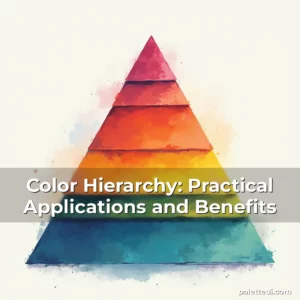
A successful color hierarchy follows a clear structure: dominant accent colors draw initial attention, secondary shades support key elements, and base colors provide neutral backgrounds. Think of this as a visual pyramid where each level serves distinct purposes yet contributes to overall coherence.
Establishing dominance requires careful calibration. In web applications, primary action buttons often use high-contrast neon-like gradients that shift subtly when hovered over—a technique proven to increase click-through rates by up to 28% according to UI/UX analytics reports.
Secondary roles are equally critical. Subtle variations in blue tones can differentiate navigation menus versus content areas, guiding user flow intuitively rather than through explicit instructions. These distinctions become even more vital in mobile-first design contexts where screen real estate is limited.
Implementing Accessibility Standards
The Web Content Accessibility Guidelines (WCAG) mandate specific contrast requirements. For normal text, a 4.5:1 ratio is required, while larger headings need only 3:1. These standards ensure inclusivity for individuals with visual impairments while maintaining aesthetically pleasing compositions.
Tools like Contrast Checker and WAVE Validator help designers verify compliance before deployment. However, true mastery involves intuitive application—not just meeting metrics. When designing for healthcare dashboards, for instance, using pastel greens for success indicators aligns both visually and semantically with patient outcomes data.
Psychological Impacts of Color Placement
Research indicates that color placement influences behavior patterns. A study published in the Journal of Consumer Psychology found that warm-colored products placed on left sides of shelves receive significantly higher engagement rates compared to those positioned elsewhere. This suggests subconscious associations between directional cues and thermal sensations.
E-commerce platforms leverage these findings strategically. Amazon’s product listings often feature green “Add to Cart” buttons alongside items displayed on the right side of screens—an arrangement that subconsciously links purchase actions with positive forward motion.
Color psychology also plays out in unexpected ways. Restaurants frequently use red lighting to stimulate appetite while maintaining cool-toned walls to prevent sensory overload. Understanding such micro-interactions allows designers to craft environments that feel intentional rather than arbitrary.
Building Cohesive Brand Identity Systems
Consistent color usage reinforces brand recognition. McDonald’s iconic golden arches maintain their signature shade despite decades of technological advancements in display technology. This consistency builds instant recognition across diverse mediums—from fast food packaging to augmented reality experiences.
Brand guidelines must define color codes precisely. Pantone formulas, HEX values, and CMYK specifications ensure uniformity across print and digital formats. Modern tools like Adobe Color allow teams to generate complementary palettes automatically, streamlining the development process.
Dynamic adaptations are crucial too. Social media platforms implement dark mode versions of logos to preserve visibility against black backgrounds. This adaptability shows respect for user preferences while maintaining core brand identity integrity.
Advanced Techniques in Color Layering
Multilayered approaches enhance complexity without confusion. In infographic design, gradient overlays can emphasize importance—darker blues for statistical data points versus lighter tints for contextual annotations. This method provides spatial clues about significance without relying solely on textual cues.
Microinteractions benefit from layered effects. Hover states might introduce slight transparency shifts in card components, creating depth perception that guides visual progression. Such techniques mimic physical interactions we experience daily, enhancing intuitive understanding.
Environmental factors influence effectiveness. A corporate website’s color scheme may need adjustment depending on whether it’s viewed primarily during daylight hours or under artificial lighting conditions. Spectral analysis tools help determine optimal pigment formulations for different ambient settings.
Navigating Cultural Nuances in Color Usage
Cultural symbolism dramatically affects color interpretation. White signifies purity in Western cultures but mourning in many Asian traditions. Designers working globally must consider these nuances when developing international-facing projects.
Language barriers require additional care. Red represents danger in most English-speaking countries but good fortune in Chinese culture. These differences demand thoughtful adaptation strategies rather than direct translations of color meanings.
Linguistic relativity theories suggest that speakers of languages categorizing colors differently may perceive them uniquely. This phenomenon underscores the importance of testing color schemes across diverse demographic groups before final implementation.
Emerging Trends in Interactive Color Applications
Advancements in haptic feedback systems now integrate color changes with tactile responses. Smart clothing prototypes respond to body temperature fluctuations by shifting hues—offering both functional benefits and captivating visual displays.
Augmented reality environments utilize dynamic color fields to distinguish virtual objects from real-world surroundings. These adaptive color layers enable seamless integration of digital elements without disrupting natural visual continuity.
Machine learning algorithms analyze user interaction data to personalize color themes dynamically. Netflix’s recommendation interface adjusts backdrop hues based on viewer mood detected through facial expression analysis—an example of AI-driven color personalization.
Optimizing for Multiscreen Experiences
Responsive design demands fluid color transitions. A dashboard designed for desktop monitors may require simplified palettes when adapted for smartwatches due to smaller display sizes and lower resolution capabilities.
High Dynamic Range (HDR) displays necessitate recalibration of color profiles. Traditional sRGB limitations mean that vibrant palettes used on standard screens may appear washed out on HDR-compatible devices unless specifically optimized.
Voice-controlled interfaces present new challenges. While visual color hierarchies remain essential, audio cues must complement them effectively. Spatial sound positioning combined with color-coded visual prompts enhances usability for visually impaired users.
Measuring Success Through User Analytics
Data analytics reveal which color combinations resonate most with target audiences. Heatmaps show where users spend the most time scanning pages, allowing designers to optimize focal points accordingly.
Conversion rate tracking helps quantify the impact of color changes. A/B tests comparing button colors on e-commerce sites consistently demonstrate that brighter hues yield higher engagement rates—even when perceived brightness remains constant.
User feedback loops offer qualitative insights beyond quantitative metrics. Surveys asking participants about their emotional responses to color schemes uncover subtleties that numerical data alone cannot capture.
Conclusion
Mastering color hierarchy transforms static visuals into dynamic communication tools that speak volumes without uttering a word. From psychological impacts to technical implementations, every decision carries weight in shaping user experiences.
As you continue exploring PaletteUI’s resources and implementing these principles, remember that effective color strategy balances scientific precision with artistic intuition. The result? Designs that inform, engage, and endure in the hearts and minds of your audience.

news is a contributor at PaletteUI. We are committed to providing well-researched, accurate, and valuable content to our readers.